
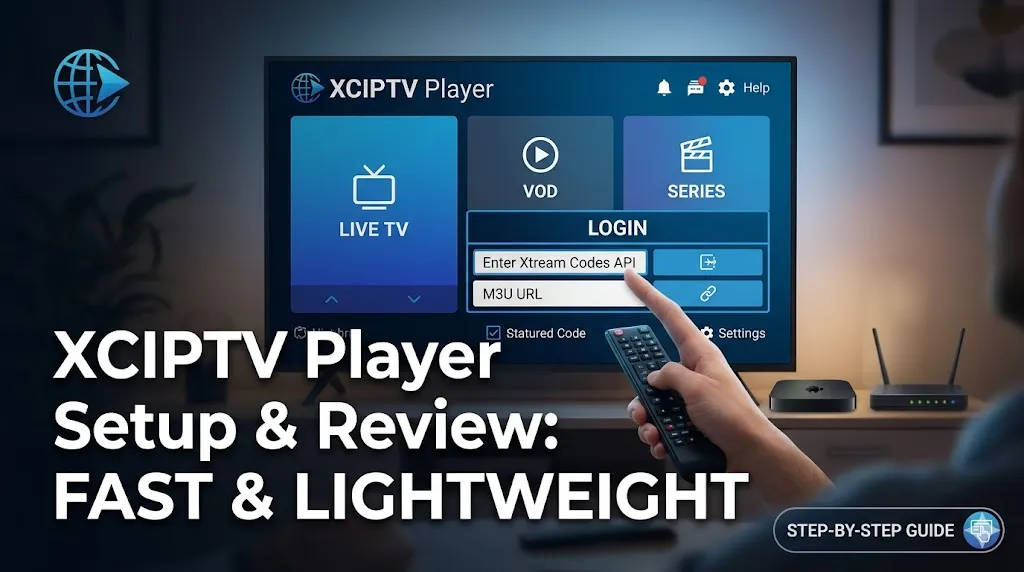
Finding a reliable and efficient media player is the first step toward a premium streaming experience. The XCIPTV Player has emerged as a top-tier choice for users seeking a fast, lightweight, and user-friendly interface. In this XCIPTV Player setup and review, we will explore why this application is favored by enthusiasts and how you can optimize it for the best results.
If you are looking for a service to pair with this powerful player, look no further than the Admin IPTV Panel. You can get started today with a free IPTV trial to experience high-definition content without any initial commitment.
Why Choose XCIPTV Player? Setup and Review of Core Features
The XCIPTV Player is specifically designed to handle massive libraries of live channels and Video on Demand (VOD) content without lagging. Unlike heavier applications that might struggle on older hardware, XCIPTV remains responsive across a wide range of devices, including Android boxes, Firesticks, and smart TVs.
Lightweight Architecture for Fast Performance
One of the standout aspects of our XCIPTV Player setup and review is the app’s efficiency. It uses minimal system resources, which means faster loading times for the Electronic Program Guide (EPG) and seamless switching between channels. This is crucial for users who demand a cable-like experience without the bulky hardware.
User Interface and Customization
The interface is clean and intuitive. Upon opening the app, you are greeted with a professional dashboard that categorizes Live TV, Movies, and Series. This logical layout ensures that even non-technical users can navigate the platform with ease.
Step-by-Step XCIPTV Player Setup and Review of Installation
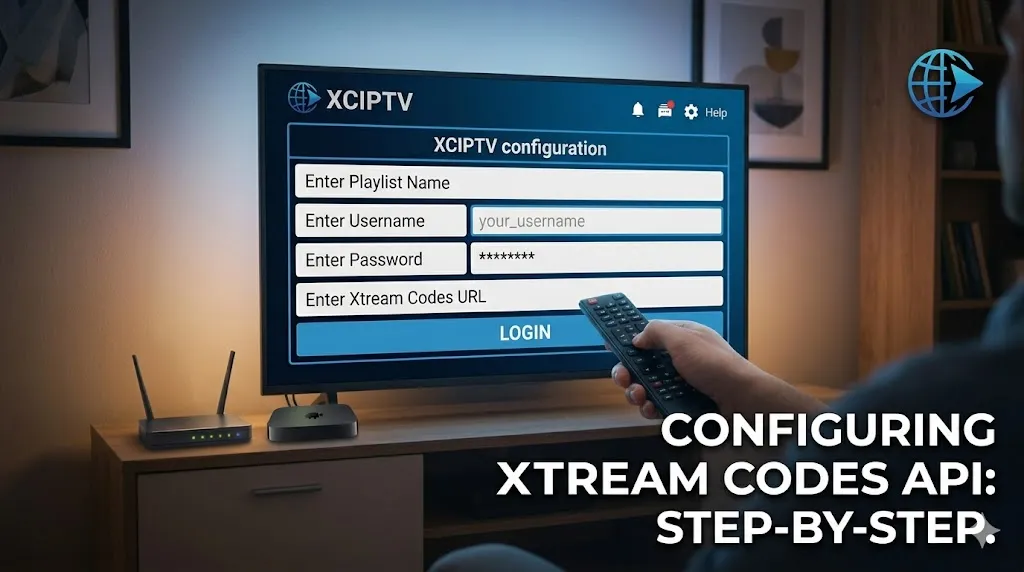
Setting up the XCIPTV Player is a straightforward process. Because it is a “player-only” application, you will need a valid M3U URL or Xtream Codes API credentials from a provider like Admin IPTV Panel.
Installing on Android and Firestick Devices
To begin your XCIPTV Player setup and review, follow these steps:
- Enable “Unknown Sources” in your device settings to allow third-party installations.
- Use a tool like “Downloader” to fetch the latest XCIPTV APK.
- Once installed, open the application to view the login screen.
Configuring Your Credentials
The app offers multiple login methods. For the most stable connection, we recommend using the Xtream Codes API. Simply enter your username, password, and the server URL provided by your service. Using a high-quality source like the Admin IPTV Panel ensures that your credentials authorize instantly, giving you immediate access to thousands of global channels.
Performance Analysis: XCIPTV Player Setup and Review in 2024
When evaluating any media player, stability is the most important metric. During our XCIPTV Player setup and review testing, we found that the application excels in handling high-bitrate 4K streams.
Buffering and Stream Stability
Buffering is often a result of either poor internet connectivity or an inefficient player. XCIPTV addresses the latter by utilizing advanced hardware acceleration. When paired with the robust infrastructure of the Admin IPTV Panel, the result is a buffer-free environment that rivals traditional broadcasting.
EPG Integration and Reliability
A media player is only as good as its guide. XCIPTV automatically imports EPG data, allowing you to see what is playing currently and what is scheduled next. This integration is seamless, provided your source URL supports EPG data.
Enhancing Your Experience with Admin IPTV Panel
While the player is the engine, the content provider is the fuel. To truly appreciate the XCIPTV Player setup and review, you need a service that matches the app’s quality. Admin IPTV Panel is the premier choice for demanding viewers.
Concrete Benefits of Admin IPTV Panel
- 4K and UHD Streaming: Access crystal-clear resolution for sports and cinema.
- Unlimited Channels: Enjoy thousands of local and international channels from every continent.
- Massive VOD Library: Stay updated with the latest movies and TV series, updated weekly.
- Multi-Device Compatibility: Use your subscription on XCIPTV, mobile devices, or computers simultaneously.
- Reliable Support: 24/7 technical assistance to ensure your setup is always running smoothly.
For those interested in the business side of streaming, you can explore the Admin IPTV Panel Reseller options to start your own service. If you encounter any technical hurdles, our Installation Guides provide comprehensive troubleshooting for all major devices.
XCIPTV Player Setup and Review: External Insights and Authority
To maintain a high standard of information, it is helpful to cross-reference technical data with other recognized industry sources. Platforms like LibertyTV and SAASTREAM offer additional perspectives on software compatibility. Furthermore, checking performance metrics on IPTV Test can help you verify the speed of different server regions. Always ensure you are sourcing your information from reputable providers like Admin IPTV Panel to avoid security risks.
Optimized FAQ: XCIPTV Player Setup and Review
Is XCIPTV Player free to use? Yes, the XCIPTV Player application is generally free to download and use, though some premium versions may offer ad-free experiences or additional branding options for providers.
Does XCIPTV Player come with any channels? No, XCIPTV is a media player only. You must provide your own content via an M3U playlist or Xtream Codes API from a provider like Admin IPTV Panel.
Can I use XCIPTV on my Amazon Firestick? Absolutely. XCIPTV is one of the most popular apps for Firestick users due to its lightweight nature and ease of navigation with a remote control.
What is the best way to prevent buffering in XCIPTV? Ensure you have a stable internet connection (at least 25 Mbps for 4K) and use a high-quality provider. You should also enable hardware decoding in the XCIPTV settings menu.
How do I update the EPG on XCIPTV? The app typically updates the EPG automatically upon startup. However, you can manually trigger an update within the settings if you notice missing program information.
Is it safe to use XCIPTV? Yes, the application itself is safe. However, always download the APK from trusted sources and use a secure IPTV provider to protect your data and privacy.
Conclusion
The XCIPTV Player remains one of the most effective tools for modern streaming. Through this XCIPTV Player setup and review, we have seen that its combination of speed, simplicity, and powerful features makes it an essential app for any media setup. Whether you are a casual viewer or a power user, the performance provided by this player is hard to beat.
To get the most out of your hardware, pair it with a world-class service. Visit Admin IPTV Panel today to start your free trial and enjoy the best in global entertainment. Whether you are looking for a personal subscription or want to join the Admin IPTV Panel Reseller program, we have the solutions to elevate your viewing experience.