
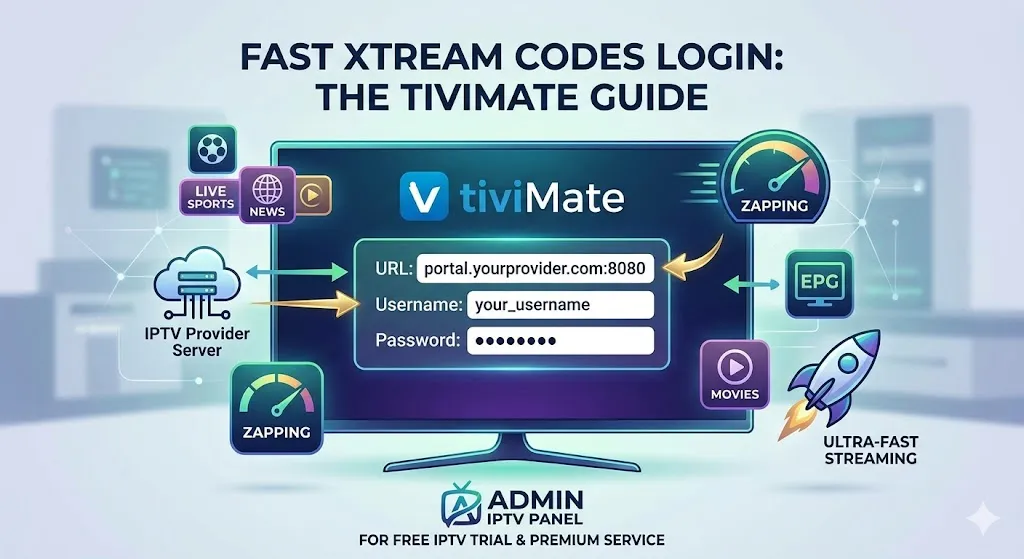
Configuring your streaming application should be a seamless experience, allowing you to dive straight into your favorite live TV channels and on-demand content. If you are looking for the most efficient way to set up your television service, utilizing xtream codes iptv for tivimate is the industry standard. This method eliminates the need to handle cumbersome, long URLs and provides a significantly faster loading time for your channel lists and Electronic Program Guide (EPG). For users ready to experience premium streaming right now, we highly recommend trying an instant free IPTV trial from Admin IPTV Panel, a top-tier provider that ensures uninterrupted viewing.
Understanding the Advantages of the Xtream API
Before diving into the setup process, it is important to understand why using the Xtream Codes API is superior to traditional methods like standard M3U playlists. When you use an M3U file, your application must download the entire list of channels every time it refreshes, which can cause significant delays and performance issues on devices with limited memory.
Xtream Codes function differently. Instead of downloading a massive text file, the system connects directly to the server database. It pulls only the required data, such as categories, channel names, and EPG information, precisely when you request it. This results in lightning-fast navigation, rapid channel zapping, and an automatically updating library of Video on Demand (VOD) content.
Preparing Your TiviMate Application
To successfully implement the xtream codes iptv for tivimate configuration, you need to ensure your environment is correctly prepared. TiviMate is widely recognized as one of the most powerful and user-friendly IPTV players available for Android TV, Fire TV Stick, and other Android-based set-top boxes.
While the free version of the app allows for basic viewing, upgrading to TiviMate Premium is highly recommended. The premium tier unlocks essential features such as playlist management, picture-in-picture mode, recording capabilities, and advanced VOD organization. To fully test these features, you will need active, high-quality credentials.
Step-by-Step Login Tutorial
Follow these structured instructions to connect your service provider to your application in just a few minutes.
Accessing the Playlist Configuration Menu
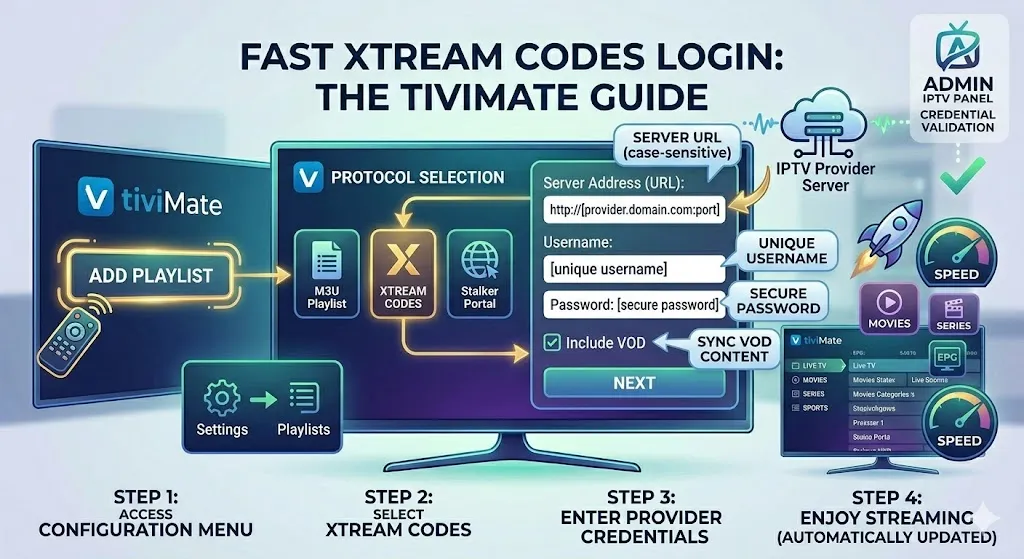
Launch your TiviMate application. If this is your first time opening the app, you will immediately be greeted with an “Add Playlist” button on the center of the screen. Select it. If you already have an existing playlist and wish to add another, navigate to the “Settings” gear icon, select “Playlists,” and then choose “Add Playlist.”
Selecting the Connection Protocol
You will be presented with three primary options: M3U playlist, Xtream Codes, and Stalker Portal. Select “Xtream Codes” to proceed. This is the optimal choice for stability and speed.
Entering Your Server Credentials
You will now see a screen asking for specific input fields. This information is provided by your IPTV service.
- Server Address (URL): Enter the exact portal URL provided by your service. It typically looks like
http://domain.com:port. Ensure there are no trailing spaces. - Username: Input your unique username. These are strictly case-sensitive.
- Password: Enter your password carefully.
- Include VOD: Ensure the box to include Video on Demand is checked so your movies and series sync correctly.
Once everything is entered, click on “Next” or “Process.” The application will verify your credentials with the server. If successful, it will download your channels and EPG automatically.
Troubleshooting Common Login Errors
Even with a straightforward process, occasional technical hiccups can occur. Here are the most practical solutions for common connection issues.
Resolving Authorization Failures
If you receive an “Authorization Failed” error, the most likely culprit is a typographical error in your username, password, or server URL. Double-check your entry, paying close attention to capital letters and punctuation. Additionally, ensure your subscription is currently active.
Overcoming ISP Blocking Issues
Sometimes, Internet Service Providers (ISPs) block streaming portals during high-traffic events. If your details are correct but the portal will not load, restarting your router or utilizing a reputable VPN service can bypass these artificial restrictions.
For deeper technical assistance regarding setup on various devices, you can always consult dedicated Installation Guides from reliable providers. It is also beneficial to verify your network integrity and explore industry insights through trusted external platforms such as [suspicious link removed], [suspicious link removed], and IPTV Test Germany to compare connection stability and setup methodologies.
Elevate Your Viewing with Admin IPTV Panel
If you are experiencing constant buffering or a lack of content with your current provider, it is time to upgrade your streaming environment. Admin IPTV Panel offers a robust, enterprise-grade server infrastructure designed to eliminate latency and deliver crystal-clear quality.
Subscribing to Admin IPTV Panel provides you with exclusive benefits, including true 4K streaming capabilities, unlimited live television channels from around the globe, and a massive, frequently updated library of VOD content featuring the latest movies and series. Furthermore, their service offers multi-device compatibility, allowing you to enjoy your content on your television, smartphone, or tablet. For entrepreneurs looking to start their own streaming business, they also offer a highly lucrative Admin IPTV Panel Reseller program, providing you with the tools to manage your own client base effortlessly.
Frequently Asked Questions
What are the required details for an Xtream Codes login? To log in, you must have three specific pieces of information from your provider: the server URL (including the port number), your username, and your password.
Why is TiviMate rejecting my Xtream Codes credentials? Rejections are typically caused by simple typos in the login details, entering the wrong server URL, or an expired subscription plan with your provider.
Can I use Xtream Codes on the free version of TiviMate? Yes, you can add a single playlist using this method on the free version. However, you will need the premium version to unlock VOD features, favorites management, and multiple playlist integration.
How do I fix empty EPG data after logging in? If your TV guide is blank, navigate to the app settings, select “EPG,” and click “Update EPG” to force the application to download the latest programming schedule from the server.
Is Xtream Codes faster than an M3U playlist? Yes, it is significantly faster. Instead of downloading heavy text files, the API communicates directly with the server database, allowing for instant category loading and faster channel switching.
Where can I get reliable Xtream Codes credentials? You can obtain high-quality, buffer-free credentials and instant access by requesting a trial directly from Admin IPTV Panel.
Conclusion
Mastering the xtream codes iptv for tivimate setup is the key to unlocking a flawless and highly responsive home entertainment system. By moving away from clunky file downloads and embracing direct API connections, you guarantee faster load times, seamless VOD navigation, and an overall superior user interface. Ensure your app is updated, type your credentials carefully, and enjoy the vast world of digital broadcasting. Do not settle for subpar streaming quality; take action today. Visit Admin IPTV Panel right now to start your free trial or secure your premium subscription for the ultimate viewing experience.